How to Install Breakthrough Workouts on Your
Android Device
Android - Tablet or Smartphone
For optimal user experience and full screen mode on an Android device, you need the Google chrome app version 31 or higher, available here:
https://play.google.com/store/apps/details?id=com.android.chrome&hl=en
After downloading, open the Google Chrome app and visit https://workouts.breakthroughbasketball.com
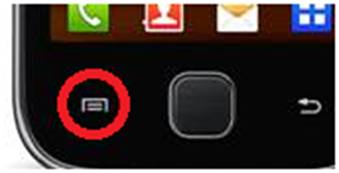 Then
press the options menu button on your device (usually on the bottom-left) and
choose "Add to homescreen".
Then
press the options menu button on your device (usually on the bottom-left) and
choose "Add to homescreen".
Type in a title you want (ex: Breakthrough Workouts)and press Add.
You can now access the WorkoutApp at anytime by pressing the new icon on your homescreen.